Smart Defrag

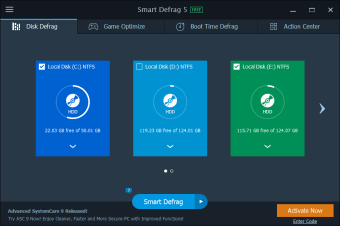
Smart Defrag is a tool that allows you to schedule and perform defragmentation operations on your hard disks. This can improve performance of drives, allowing files to be accessed more quickly.

Top Recommended Alternative
 Smart Defrag is a tool that allows you to schedule and perform defragmentation operations on your hard disks. This can improve performance of drives, allowing files to be accessed more quickly.

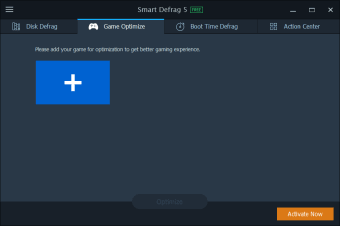
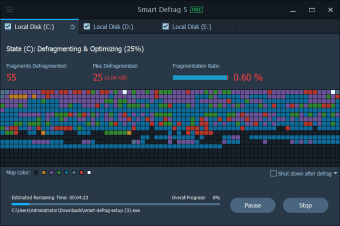
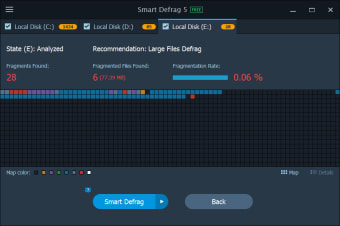
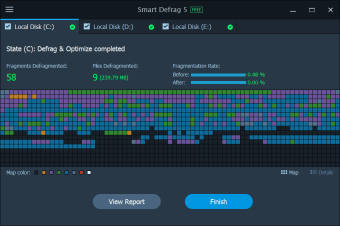
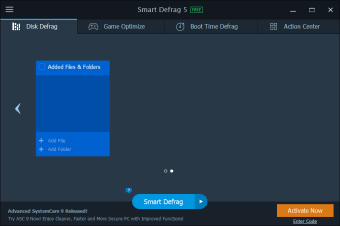
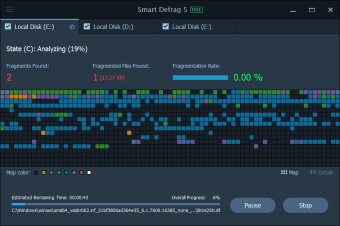
The application has four main sections: State, Automatic Defrag, Boot Time Defrag and Report. The first is where you’ll see details of whatever scan is currently running. It’s also here that you can choose what kind of defrag you want to run – pick between Defrag Only, Defrag and Fast Optimize, or Defrag and Fully Optimize. You can also pause scans or tell Smart Defrag to shut down the computer when it has finished.

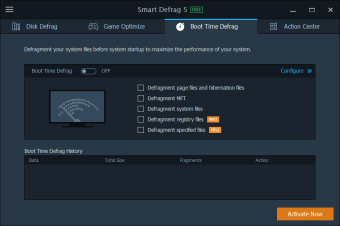
Turning on Automatic Defrag means Smart Defrag will reorganize your drives whenever the system is idle. It's a neat solution, as doing a full defrag can be a lengthy and resource-heavy process. There’s also a Boot Time Defrag, which allows you to defragment files that are dangerous to move while Windows is in use. You can set this to run every boot-up, or just once every few days.

Smart Defrag's schedule tab allows defrags to be set up regularly, and in Options there are some very useful settings. Smart Defrag can be set to defrag only when a computer is plugged in (not running on battery power), and also to pause if CPU usage reaches a predetermined percentage.

Smart Defrag is a well designed, effective and flexible application.

  • What's new in version 10.0.0.374:Optimized Smart Defrag and file prioritization for faster file access
  • Enhanced Large File Defrag to better defrag large files for faster disk read/write speed and longer disk life
  • More user-friendly installation process
  • New Lucky Draw offering greater odds to win Smart Defrag Pro for free or favorable discounts for other IObit products  
  • Supported 42 languages

  • Pros

    • Simple interface
    • Schedule tasks
    • Minimizes intrusion
  • Cons

    • Interface is occasionally slow
 0/8

App specs

Program available in other languages


User reviews about Smart Defrag

4.2

6 reviews

Add review

Main reviews for you

  • Anonymous user

    It would be nice if the update for it would download and update it instead of not doing any thing.

  • Anonymous user

    Excellent speed & features but UI very slow on older systems. Excellent overall speed, and many useful options - quick/deep, optimize/no opt., etc. However, slower computers (e.g. XP) may find the UI frustrating - it can take MINUTES to respond to a tab selection, and the refresh of the disk layout display is very infrequent even when silent mode is turned off.

  • Anonymous user

    Very powerful,easy to use, great options and FREE.. Very good except that it's set to start by default with Windows. You just have to go to options and unclick and you're done. Still very powerful and FREE.

  • Anonymous user

    Smart defrag. I downloaded it and it defraged my computer and shut down when finished. I have re-booted twice and there is a white blank square on about 1/3 of the screen in the upper left corner. What do I do?

  • Anonymous user

    Great product - one small issue. Love this defragger. Well designed. The only small improvment I'd like is that the estimated "remaining time" is not very realistic at all. It'll say something like 1:50, but it doesn't count down even at half real time. I know that this is an estimate and depending on your drive clutter state, it will vary, but it seems to be so far off that it is not even usable..

  • Anonymous user

    One Of The Greatest Defraggers. I decided to test 5 of the most popular free defraggers and see how they stack up. The results are based on three things. Speed, Performance, and Simplicity. The top of the list is SmartDefrag which combines performance, speed and simplicity all in one. SmartDefrag was as powerful as some of the paid versions. I have been a long time JkDefragGUI fan but when I saw how SmartDefrag did on some tests when it came to performance, it shocked me. A defragger that can be both quick and powerful as well as free?The downside is the quick scan isn't gonna help with computer performance as much as the deep scan. Also a lot will be turned off by any IObit products due to the fact they ripped off Malwarebytes detection list in the past.If you want a free defragger that offers a balance of everything then you need to make SmartDefrag your main choice. It also has scheduled scanning. I also recommend always taking the extra time and allowing it to optimize your computer as well. Pros: High PerformanceQuickSimple To UseScheduled Defragging Available Cons: Full Defragging Is Slower Than QuickCan Crash At TimesDefragger Is Set To Start Up With Windows By Default

More

You may also like

Alternatives to Smart Defrag

Explore Apps

Latest articles

Laws concerning the use of this software vary from country to country. We do not encourage or condone the use of this program if it is in violation of these laws. Softonic may receive a referral fee if you click or buy any of the products featured here.